zipgem
February 3, 2026, 9:55am
1
Hi everybody, I’m new on the forum.
I enjoy WindSportTracker and I have upgraded my Android app to v2.
Before upgrading I have created a new account on WindSportTracker website but I lost my password, so, after upgrading, I am trying to reset/recover my password, but the form to reset the password still freezing.
I have checked the page and I found that there is a call to “account ” API in the page that returns the following value:
{
Maybe I’m not doing the correct reset flow, but I don’t understand how to recover/reset my password.
Can someone help me or support on this task?
Thanks in advance
WST
February 4, 2026, 3:23am
2
Hi,
welcome to the forum, and thanks a lot for your feedback!
Which device are you using?
right after tapping the Reset Password button,
while the page is loading,
or after entering your email address and starting the reset process?
Could you also try resetting your password from another device, for example via the web app:
Thanks!
zipgem
February 4, 2026, 8:17am
3
Hi, thanks for the response.
I have tried both from app and web, changing also browser (Chrome and Firefox), but it doesn’t change.
The steps that I followed are:
asking the reset mail from app or web login page
clicking on “Reset password” link inside the mail that I receive
inserting the same new password inside the two “password” and “confirmation password” fields
clicking on the form button
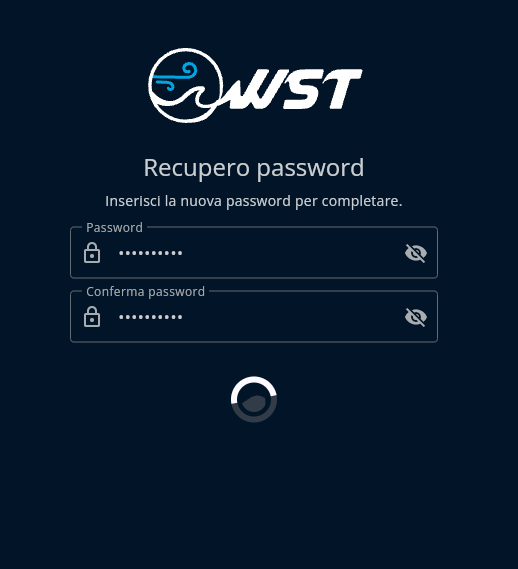
and the spinner appears instead the button but the window still “spinning”
This is the window that freezing/spinning for a lot of time:
No changes on the page (after a lot of time) so I close it.
I hope this can help you, but if you need I can give you also some another information, just ask me.
Thanks a lot in advance for the support.
WST
February 5, 2026, 1:44am
4
Hi,
I’m sorry there is currently an issue with the password reset.
Could you please write me your email that you used for the registration, and i reset the password for you in the meantime.
please write to : support@sunbits.de
WST
February 5, 2026, 2:58am
5
The password reset issue has been resolved. If you still encounter any problems, please be sure to reload the page to ensure you are not using a cached version of the site.
zipgem
February 5, 2026, 7:48am
6
That’s great! It works … but only from web.
I have tried to reset from APP and it seems not to work. So I have tried from web and I was able to reset the password.
Ok, now I have also migrated my sessions correctly into the new V2 app.
Thanks a lot for your support.
Fair winds!
WST
February 5, 2026, 9:33am
7
Hi,
yes, i could only fix it for now via web. I will will do the fix for the apps next week.
great to hear it worked out