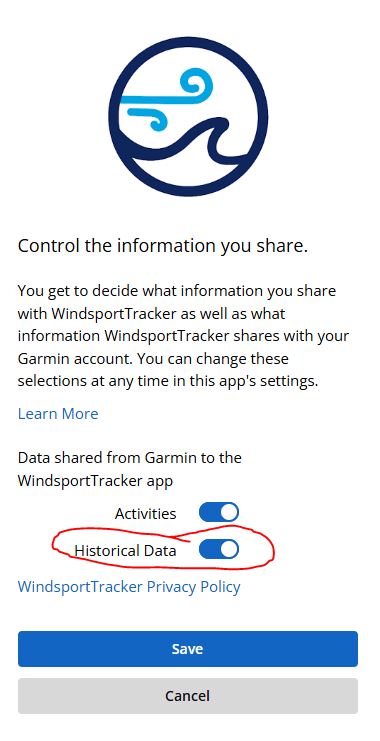
I connected the app to my Garmin app. The new ride synced and the data was transferred, but older historical data was not. I enabled historical data transfer in both apps, but the automatic transfer did not happen. Could you please advise me?
Thanks for reaching out. To clarify: there’s no “historical data transfer” toggle within WindsportTracker itself — the setting in Garmin Connect only affects future activities, not past ones.
For older sessions, you have two options:
1. Manual export per session (fine for a handful of sessions): Garmin Connect web (https://connect.garmin.com) → open the session → gear icon (top right) → “Export Original.” Make sure you use “Original,” not GPX — the GPX export doesn’t contain all the data a session needs, only the original FIT file does.
2. Bulk export (better if you have years of history): Go to https://www.garmin.com/en-US/account/datamanagement/, log in, and request “Export Your Data.” This delivers a ZIP with your entire account history via email, usually within 24–48 hours. The FIT files are nested inside — look in the DI_CONNECT/DI-Connect-Uploaded-Files/ folder of the archive, you may need to unzip a sub-archive there too.
Once you have the FIT files unzipped, import them into WindsportTracker via the web app: click the book icon with the “+” (top right) and select the files. Please import in batches of max 20 files at a time.
Automatic historical sync from Garmin is planned, but we don’t have a date yet.
Thank you for the reply. When connecting the app, it’s possible to check historical data. That’s why I asked. I’ll try the manual procedure mentioned, then. Thanks.