Hi, I tried the app today while windsurfing.
I have a Pixel Watch 4 and granted all permissions, including location access set to “all the time”.
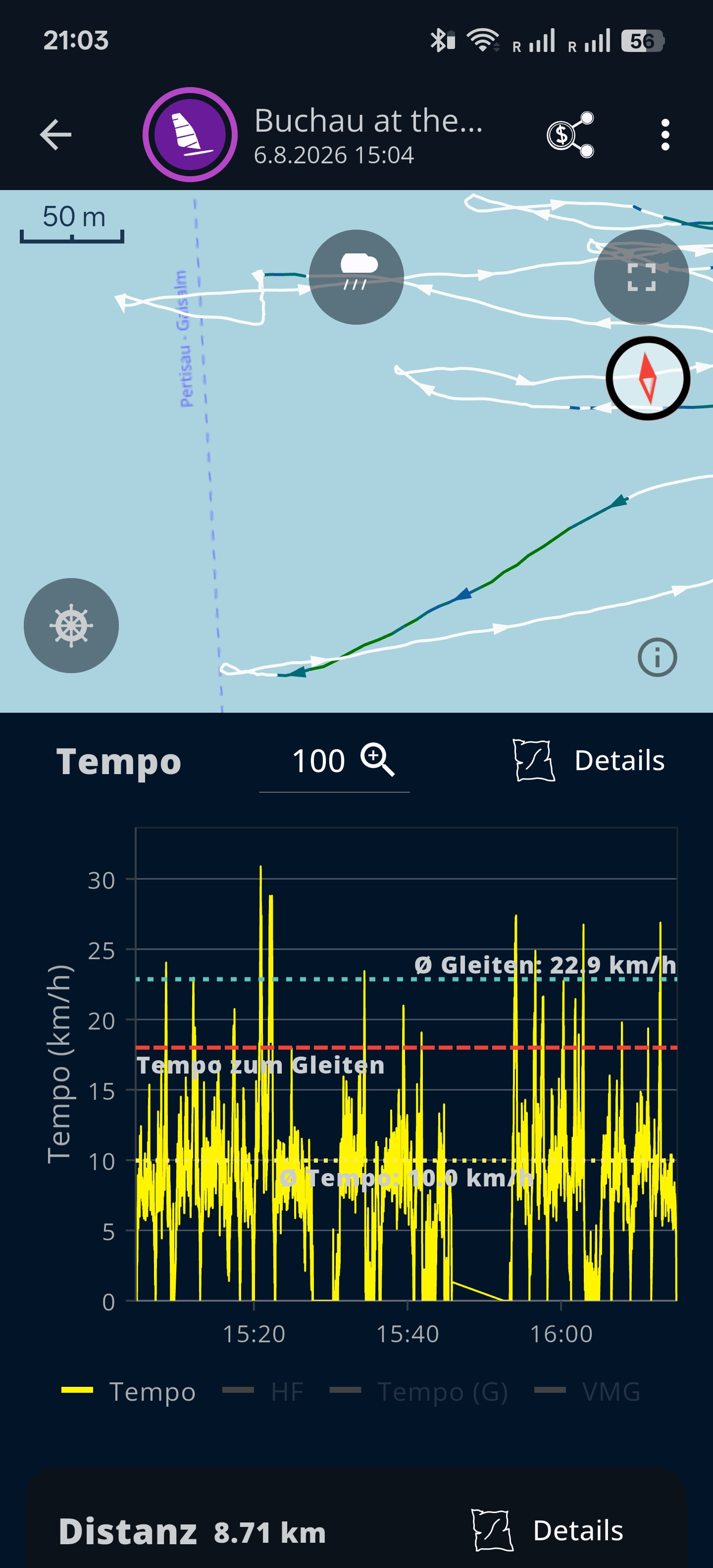
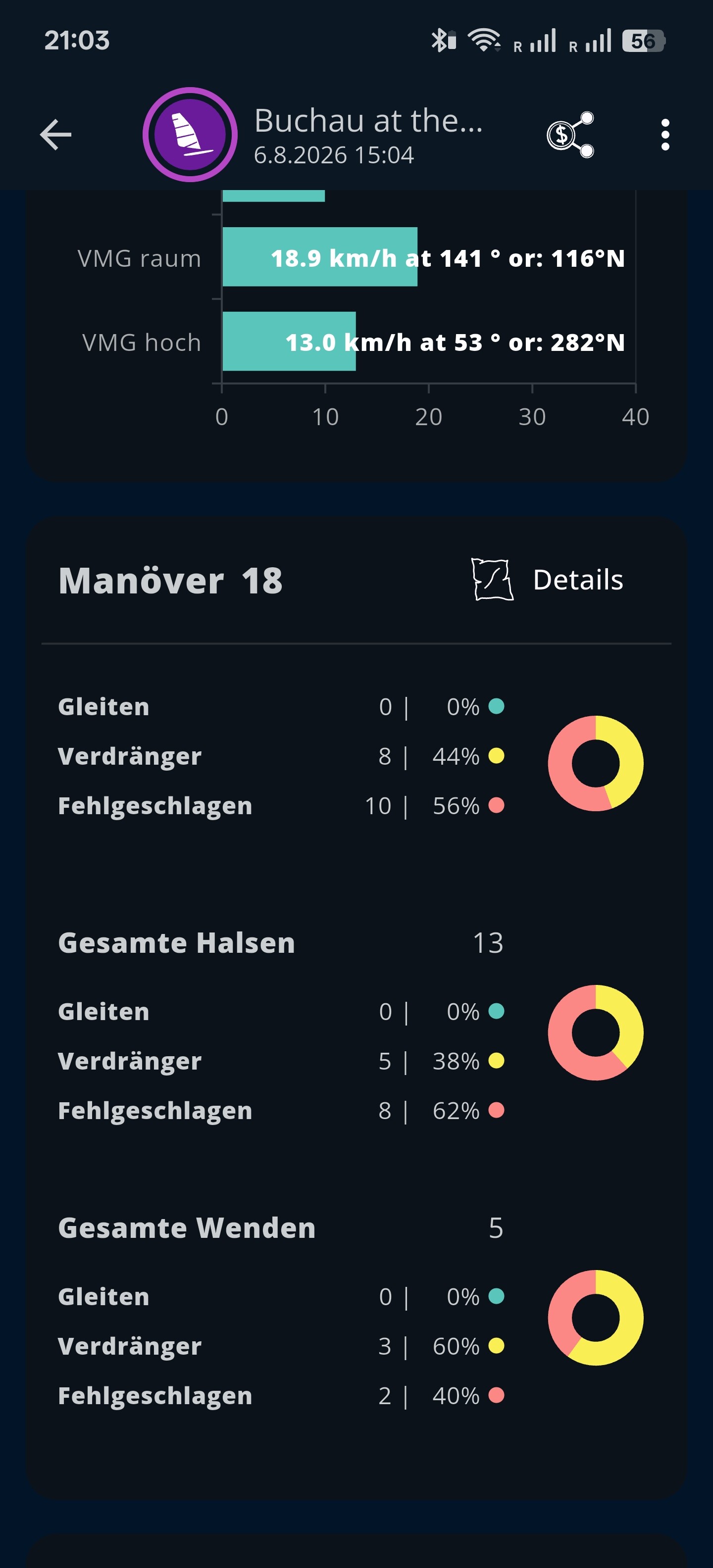
According to the tracking data, I did a lot of jibes, but I didn’t do a single one—only slow tacks.
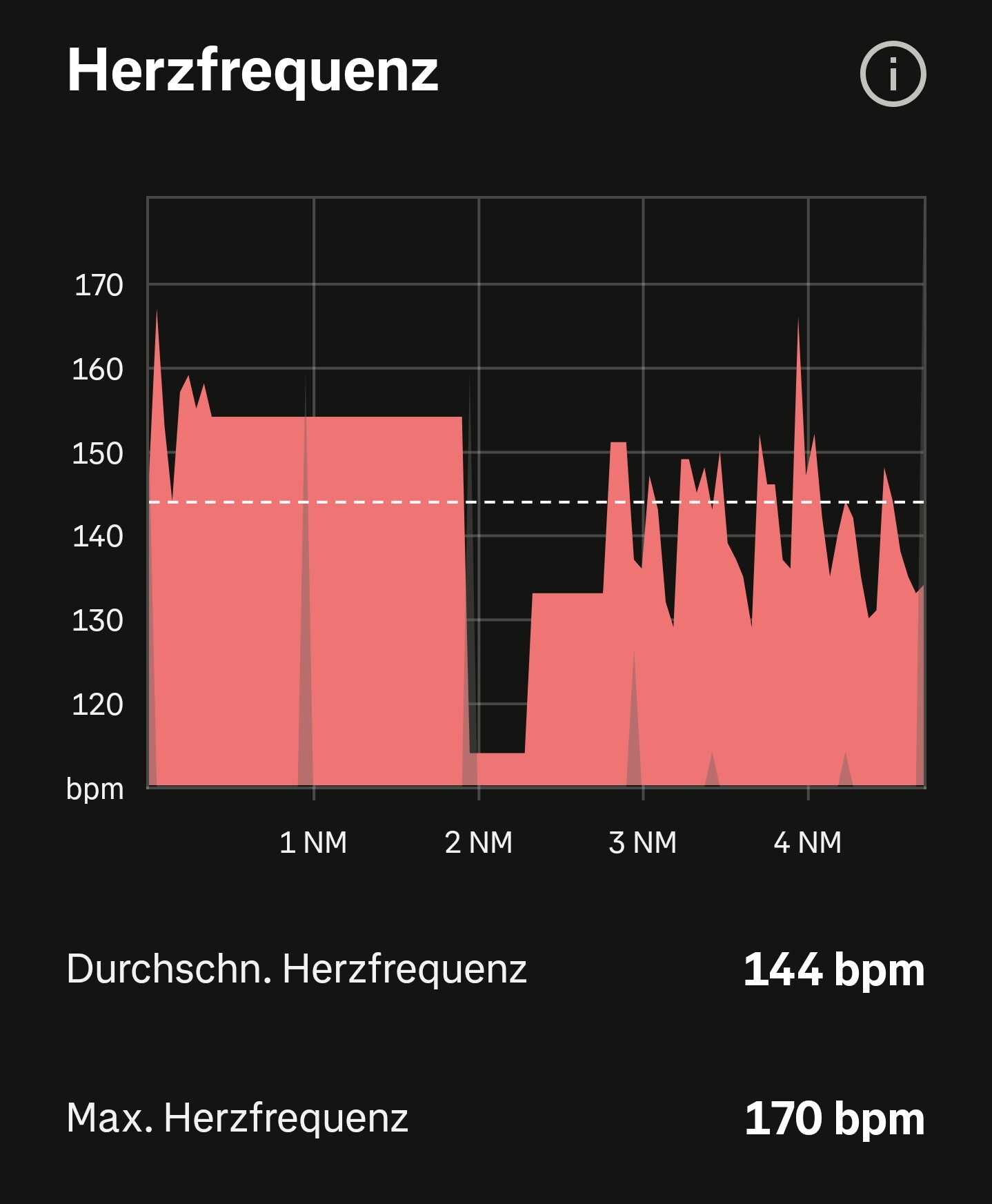
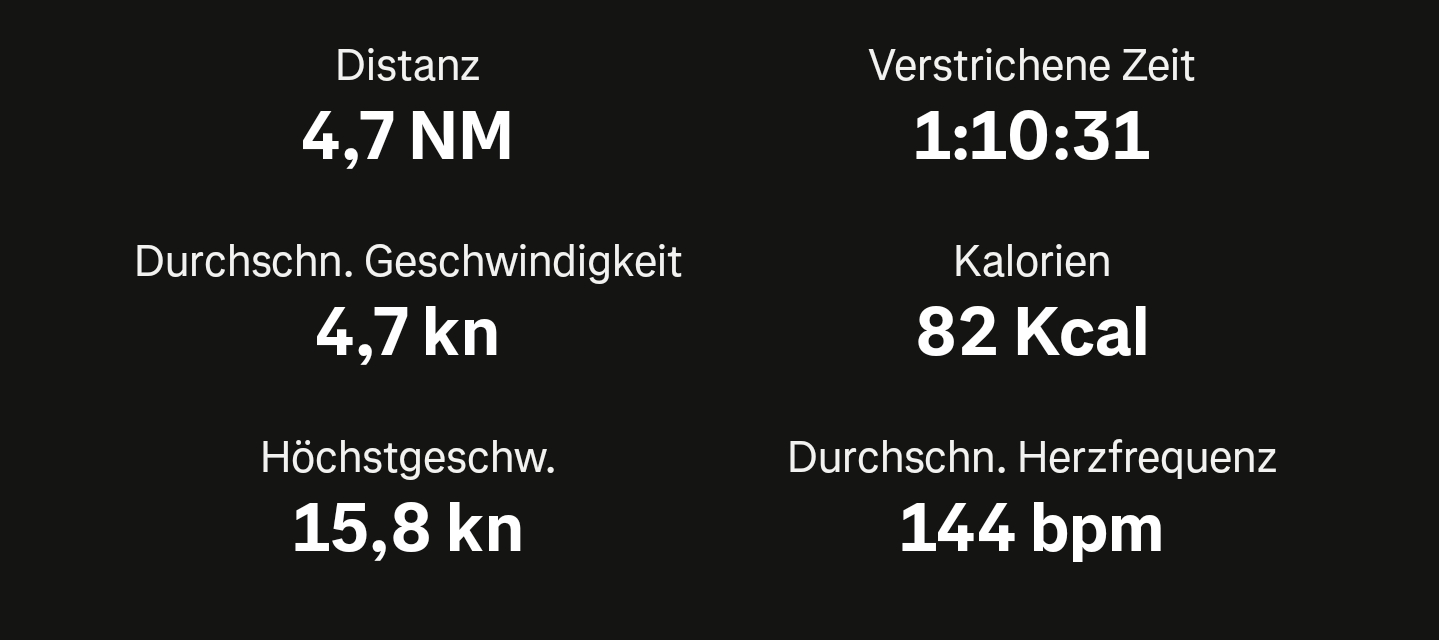
My heart rate was also recorded strangely. That worked better with the Strava app, as did the calorie calculation.
I imported the GPX 1.1 file into Strava.
Is there anything else I can configure on my end to fix the jibe detection?
If you need any more information, please let me know.
Even if the data isn’t that accurate, I’ll probably subscribe, but I’ll keep testing for now.
Jibe detection depends on the wind direction, which the app fetches automatically from a weather service — but that data isn’t always accurate. You can correct the wind direction manually in the weather editor after the session. Once you’ve adjusted it, see if the maneuver detection looks better. If it’s still off, it would help a lot if you could share the original session file — please send it to support@sunbits.de.
Heart rate is a known issue I’m already working on. It seems to be related to how snugly the watch is worn during the session — worth trying a tighter fit next time.
I had a look at the session. The issue is that during slow maneuvers like yours, the GPS track of a tack looks geometrically very similar to a jibe — because you’re heading up slowly and the turning point goes downwind rather than upwind. That makes it very difficult to distinguish the two automatically.
This is a known limitation for low-speed windsurf sessions, and I don’t have a simple fix for it right now.
I wore the watch very tight today. Even tighter than during the last session with Strava. And back then, Strava tracked my heart rate correctly throughout.
I actually took the tack really sharply. That always completely slowed me down. During that time, I might have moved 0.5–1 meters downwind when I came to a stop, and then carried on.
In my last session on Strava, I can actually see a few gybes on the map as well.
I have another theory that I’m going to test today. Water Lock mode isn’t working. If I activate it on the watch itself, the display stays always on with the app. I only did that toward the end of the session, and from then on it seems to have tracked properly. So, I normally have Always On disabled on the watch, and the app only stayed always on after I enabled Water Lock mode on the watch itself.
Yes, that seems to be the case. So it’s related to Always-on, or rather, it has to be in Always-on mode for the heart rate to be tracked.
Watch setting: Always-on off
App setting: Always-on on
However, the app doesn’t put my watch into Water Lock mode. It’s buggy. The animation appears, but the watch can still be operated. Then my display turns off because the app only stays Always-on when Water Lock mode is enabled.
If I enable Water Lock mode on the watch itself, the app also stays Always-on.
With Always-on enabled, it also tracked my heart rate continuously.
So there are two problems:
The app can’t enable Water Lock mode on my Pixel Watch 4.
Heart rate is only tracked in Always-on mode.
Water Lock cannot be activated by an app on Wear OS. Wear OS does not allow this, so there is only a message telling you to activate Water Lock yourself. You can do this by holding down the crown until the watch vibrates, then releasing it, scrolling down in the menu, and selecting Water Lock.
Always-on can also be enabled in the app, but the app must then be restarted—that is, close it, remove it from the recently opened apps, and then launch it again. However, the app’s always-on mode works differently: the screen stays on the entire time, so it uses more battery than the watch’s built-in mode. Again, there is no other way to implement this because Wear OS does not allow it.
Watch → Android transfer
The transfer status is now displayed directly on the watch (not transferred / transferring / successfully transferred). The data is kept on the watch for another 7 days after the transfer and is no longer deleted immediately — that way, you can transfer a session again in case you accidentally deleted it on Android.
Heart rate
Fixed a bug where heart rate was only recorded continuously while the screen stayed permanently on.
Thanks to everyone who helped reproduce and report the issues!